
TL;DR:
- A custom day trip is a self-designed excursion tailored to your interests, pace, and schedule, providing greater satisfaction than generic tours. Effective planning involves defining preferences, researching, mapping routes, checking feasibility, and sequencing stops, with validation ensuring practical success. Using a combination of tools like Google My Maps and spreadsheets optimizes route, budget, and booking management for a personalized experience.
A custom day trip is a self-designed excursion built around your specific interests, pace, and destination constraints rather than a generic tour schedule. Unlike packaged tours, personalized day trips give you full control over what you see, how long you linger, and how much you spend. The industry term for this practice is bespoke itinerary planning, and it produces measurably better results. Travelers who learn how to build custom day trips report higher satisfaction because the experience matches their actual priorities, not a tour operator's logistics. Tools like Google My Maps, AI itinerary drafters, and structured spreadsheets have made this process faster and more reliable than ever.
What are the essential steps to plan a custom day trip?
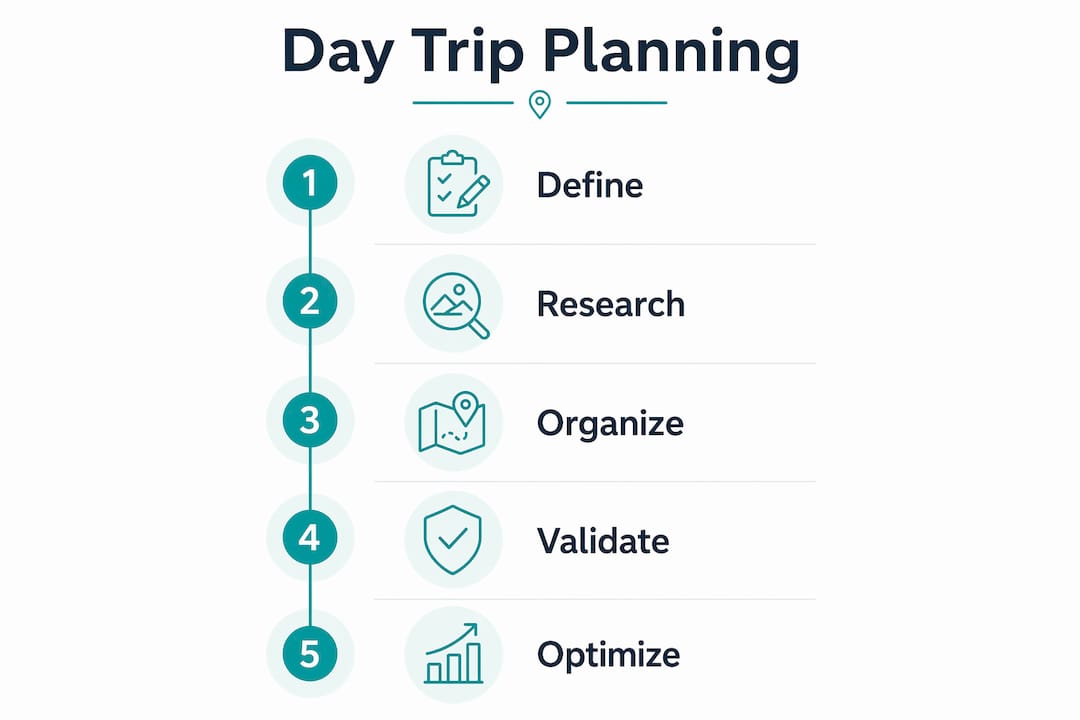
The most effective workflow for building a personalized day trip follows six sequential steps, and skipping any one of them is where most plans fall apart. A proven planning sequence runs from preference definition through research, budgeting, route mapping, feasibility checking, and finally day-by-day construction. Each phase has a realistic time cost, and knowing that upfront prevents the frustration of underestimating how long good planning takes.
-
Define your preferences. Spend 10 to 15 minutes writing down your pace preference (relaxed vs. packed), activity types (outdoor, cultural, culinary, adventure), mobility needs, and group size. This single step filters out dozens of irrelevant options before you waste time researching them.
-
Research candidate attractions. Allocate 30 to 60 minutes using travel blogs, Reddit forums like r/solotravel, and AI tools such as ChatGPT or Perplexity to generate a long list of options. Cast wide here. You will cut later.
-
Set a realistic budget. Spend 15 to 20 minutes assigning rough cost ranges to transport, entry fees, food, and any guided experiences. Budget clarity prevents the common mistake of building a plan you cannot actually afford on the day.
-
Map your route geographically. Use Google My Maps to pin all candidate attractions, then cluster them by neighborhood or district. This step alone eliminates most backtracking and wasted transit time.
-
Check feasibility. Verify opening hours, seasonal closures, booking requirements, and entry restrictions. For example, Neuschwanstein Castle tickets open three months in advance and summer morning slots sell out rapidly, making walk-up visits nearly impossible. Skipping this check is the single most common reason a day trip fails on arrival.
-
Build the day-by-day itinerary. Spend 30 to 45 minutes sequencing your confirmed stops into a realistic timeline with buffer time between each one. Assign a start time, estimated duration, and transit method to every stop.
Pro Tip: Write your preferences before you open any browser or app. Travelers who define what they want first spend 40% less time in the research phase because they already know what to filter out.
How can you validate and refine your day trip plan?

The biggest reason AI itineraries fail in practice is missing real-world constraints like closures, sold-out booking windows, and duplicate stops. Validation is not optional. It is the step that separates a plan that looks good on paper from one that actually works on the ground.
Run your draft through this checklist before you commit to any bookings:
- Verify opening hours and holiday closures. Many museums, castles, and local markets close on Mondays or national holidays. Check the official website, not a third-party listing, which may be outdated.
- Resolve ambiguous venue names. AI tools sometimes generate plausible-sounding place names that do not exist or confuse two venues with similar names. Cross-reference every stop on Google Maps before including it.
- Eliminate duplicate stops and excessive backtracking. A validator checklist flags when two stops are essentially the same experience or when your route doubles back unnecessarily, wasting an hour of transit time.
- Confirm booking windows. Popular experiences like food tours in Barcelona, skip-the-line access at the Colosseum in Rome, or timed entry attractions in Destin require advance reservations. Discovering this on the morning of the trip is too late.
- Build one backup option per anchor activity. If your primary outdoor activity gets rained out, you need a geographically compatible indoor alternative ready. Compatible geographic clusters allow you to swap experiences without rebuilding the entire day.
Pro Tip: Always verify AI-generated plans with a human review pass. AI drafts are fast, but they cannot check whether a venue is temporarily closed for renovation or whether a local festival has blocked the street you planned to walk down.
What tools and methods best support custom day trip planning?
No single tool does everything well. The right choice depends on your tech comfort level, how much offline access you need, and how complex your itinerary is.
| Tool | Best for | Limitation |
|---|---|---|
| AI itinerary drafters (ChatGPT, Perplexity) | Fast first drafts and brainstorming | Requires manual validation for accuracy |
| Google My Maps | Visual route clustering and geographic logic | No budget tracking or booking management |
| Excel or Google Sheets | Full control, offline access, budget tracking | Requires setup time and manual updates |
| Travel blogs and guidebooks | Curated local insight and hidden gems | Can be outdated; no personalization |
| Professional planners | High-touch customization and reliability | Higher cost; less spontaneity |
A structured spreadsheet with separate tabs for travel, lodging, activities, and budget offers the most granular control for complex day trips. You can add custom columns for booking confirmation numbers, hyperlinks to reservation pages, and cost totals that update automatically. The offline availability is a genuine advantage when you are in a location with unreliable cell service.
Integrating booking confirmations and hyperlinks directly into your spreadsheet means every detail lives in one place. The Cards View in Microsoft Excel also improves mobile readability, which matters when you are checking your plan mid-trip on a phone screen.
Pro Tip: Use Google My Maps to build your geographic clusters first, then transfer the confirmed sequence into a spreadsheet for budget tracking and booking management. The two tools complement each other in a way neither achieves alone.
How do you optimize day trip pacing for real enjoyment?
Pacing is where most self-planned day trips break down. Travelers consistently overestimate how many stops they can complete and underestimate how much time transit, meals, and spontaneous detours actually consume. The solution is a tiered activity structure, not a longer to-do list.
Realistic daily plans cap activities at three priorities per day: one anchor experience, one secondary activity, and one optional stop if time and energy allow. This structure prevents the itinerary collapse that happens when a single delay cascades into missed reservations and a stressful afternoon.
-
Assign your anchor first. The anchor is your non-negotiable experience, the reason you chose this destination for this day. Book it in advance and build everything else around its time slot.
-
Group by geography, not theme. Placing a morning museum visit and an afternoon cooking class on opposite sides of a city wastes 90 minutes in transit. Cluster your secondary activity within walking distance or a short ride from your anchor.
-
Build slow time into the schedule. A 20-minute coffee break between stops is not wasted time. It is the buffer that keeps the rest of the day on track when your anchor runs long.
-
Use a tiered backup list. Compatible geographic clusters let you swap an outdoor activity for an indoor one without rerouting your entire day. Prepare two or three backup options before you leave, not after something goes wrong.
-
Respect energy load. A full-day walking tour followed by a three-hour cooking class is technically possible but practically exhausting. Alternate high-energy and low-energy activities to keep the day enjoyable rather than survivable.
Pro Tip: Schedule your most time-sensitive stop, such as a timed entry or a tour with a fixed start, as your first activity of the day. Everything after it can flex. Everything before it cannot.
For travelers who want a structured starting point, Destlist's guide on tailoring trip itineraries covers common pacing mistakes and how to avoid them.
What I've learned from building hundreds of custom day trips
The conventional advice is to plan everything in advance and stick to the schedule. My experience says the opposite is closer to the truth. The best custom day trips I have ever taken had a firm skeleton and a loose skin. Two or three confirmed bookings gave the day structure. Everything else was held lightly.
Blending AI speed with manual refinement produces better outcomes than either approach alone. I use AI to generate a first draft in minutes, then spend 30 focused minutes checking every stop against real-world conditions. That combination beats spending three hours building a plan from scratch and still missing a closure.
The validation step is where most travelers skip to save time, and it is exactly where most day trips fall apart. I once arrived at a highly rated market in Lisbon on a Tuesday morning to find it closed for a private event. The official website had posted the notice two weeks earlier. A five-minute check would have saved the morning.
Personalization is not just selecting destinations. It is matching the schedule to your actual energy level, travel style, and what genuinely excites you. A day trip built around someone else's highlight reel is just a different kind of generic tour. Build yours around what you actually want to do, verify the details, and leave room for the unexpected. That is where the best travel memories come from.
— Helen
Plan your next day trip with Destlist
Building a custom day trip from scratch takes real time and attention to detail. Destlist removes the hardest parts by combining AI-powered itinerary drafting with human curator review, so your plan is both fast to create and reliable in practice.
Whether you are planning a single day excursion or a full week of personalized day trips, Destlist matches your preferences, budget, and travel style to a ready-to-book plan delivered within 24 hours. The platform handles route logic, booking sequencing, and weather alerts so you can focus on the experience rather than the logistics. Explore curated travel plans built for your destination and start planning a day trip that actually fits you.
FAQ
What is a custom day trip?
A custom day trip is a self-planned excursion built around your specific interests, schedule, and destination rather than a fixed tour itinerary. It gives you full control over stops, pacing, and budget.
How long does it take to plan a custom day trip?
A practical planning workflow takes roughly two to three hours total, covering preference definition, research, budgeting, route mapping, feasibility checks, and itinerary construction. Skipping the feasibility step saves time upfront but frequently causes problems on the day.
What is the best tool for building a custom day trip itinerary?
Google My Maps works best for visual route planning and geographic clustering, while a structured spreadsheet in Excel or Google Sheets offers the most control for budget tracking and booking management. Most experienced travelers use both in combination.
How many activities should I plan per day?
Cap daily activities at three priorities: one anchor experience, one secondary activity, and one optional stop. Overloading a schedule is the most common reason itineraries fall apart mid-trip.
Do I need to verify AI-generated day trip plans?
Yes. AI drafts require manual validation because they cannot check real-time closures, booking availability, or accurate venue details. A dedicated validation checklist that flags closures, duplicates, and missing reservations significantly improves plan reliability.
Key takeaways
A custom day trip succeeds when you define preferences first, validate every stop against real-world conditions, and cap daily activities at three priorities to protect pacing and enjoyment.
| Point | Details |
|---|---|
| Define preferences before researching | Writing down pace, activity type, and budget first cuts research time significantly. |
| Validate every stop manually | Check official sources for hours, closures, and booking requirements before committing. |
| Cap activities at three per day | One anchor, one secondary, one optional stop prevents schedule collapse from a single delay. |
| Use tools in combination | Google My Maps for routing plus a spreadsheet for budget and bookings covers all planning needs. |
| Build geographic backup options | Prepare compatible alternatives before the trip so disruptions require a swap, not a rebuild. |