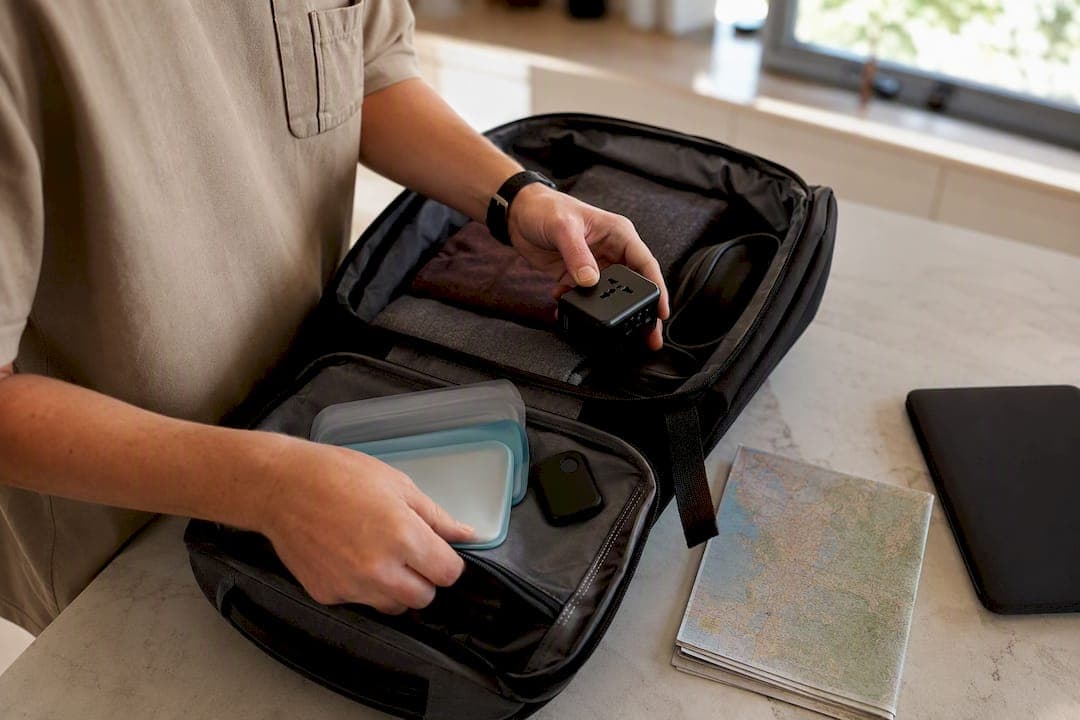
Smart travel tools are the hardware, apps, and AI workflows that cut down the friction and surprise costs of getting from home to your destination and back. That covers everything from a chatbot drafting your itinerary to a coin-sized tracker riding inside your checked bag. Used well, they save real hours of planning and stop the small disasters, missed check-ins, dead phone batteries, a lost suitcase, before they happen.
The category breaks into a handful of buckets you'll meet throughout this guide:
- AI assistants that draft itineraries, packing lists, and rough budgets in minutes.
- Smart locks and trackers that keep tabs on your luggage from the ramp to baggage claim.
- Power and connectivity gear that keeps you charged and online without hunting for outlets.
- Wearables and translation tools that handle language barriers and navigation hands-free.
Key Takeaways
Smart travel tools work best when you pick a compact set of multifunctional gear and verify AI-generated plans against real, current sources.
| Point | Details |
|---|---|
| Consolidate, don't collect | Pick multifunctional gear like a GaN multiport charger over several single-purpose devices. |
| Verify AI drafts | Treat AI itineraries as a starting point and check hours, prices, and visa rules against official sources. |
| Download maps early | Pull offline map regions over stable Wi-Fi before departure, never rely on streaming data mid-trip. |
| Register trackers before you fly | Set up any luggage tracker or smart lock the night before, not at the airport. |
| Let DestList verify the plan | DestList pairs an AI-drafted itinerary with human curator review to deliver a ready-to-book trip in 24 hours. |
Table of Contents
- Quick Tour: The Key Categories of Smart Travel Tools
- What Do AI-Powered Travel Assistants Actually Do?
- Do Smart Luggage Trackers and Locks Actually Work?
- How Do You Stay Charged and Connected While Traveling?
- Which Wearables and Translation Tools Actually Help on a Trip?
- How Should You Decide Which Tools to Actually Pack?
- What Privacy and Safety Limits Should You Know About?
- Why Consolidating Gear Beats Collecting It
- What Do Seasoned Travelers Actually Keep in Their Carry-On?
- How DestList Turns Smart Travel Tools Into a Ready-to-Book Trip
- Sources
Quick Tour: The Key Categories of Smart Travel Tools
Six categories cover almost everything worth packing or downloading. AI travel assistants (general chat tools like ChatGPT, Google Bard, or Siri) handle brainstorming and first-draft itineraries. Itinerary and inbox managers pull confirmation emails into one timeline so you're not digging through Gmail at the gate.
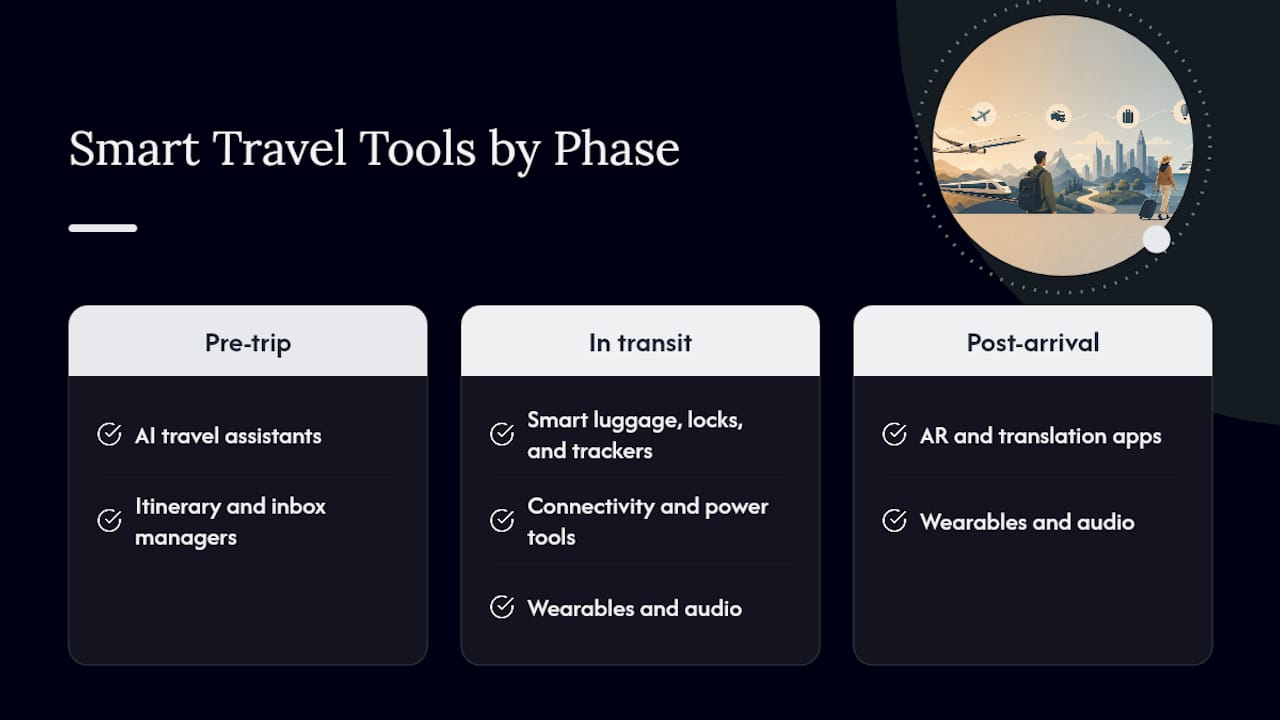
Smart luggage, locks, and trackers, think Apple AirTag or a smart padlock, tell you where your bag actually is instead of where the airline says it should be. Connectivity and power tools, eSIMs, portable chargers, universal adapters, keep you online and charged across borders. Wearables and audio, noise-canceling headphones and translation earbuds, smooth out long flights and language gaps. AR and translation apps, including Google Translate's camera mode, help you read menus and street signs on the fly.
Each category earns its keep at a different stage of the trip. AI assistants and itinerary tools do their best work before you leave. Trackers and power gear matter most in transit. Translation tools and AR overlays shine once you've landed and are trying to order dinner in a language you don't speak.
What Do AI-Powered Travel Assistants Actually Do?
AI assistants are best at speed, not certainty. Tools like ChatGPT, Google Bard, and Siri can sketch a seven-day Portugal itinerary, generate a packing list for a ski trip, or draft a budget breakdown in a fraction of the time manual research takes. One workflow-based test found that a defined AI process can produce a week-long trip draft in about 30 minutes, and roughly a third of travelers already lean on AI somewhere in their planning.
The catch is reliability. Large language models still hallucinate details, work from outdated information, and occasionally invent visa requirements that don't exist. Treat every AI-generated itinerary as a rough draft, not a booking-ready plan.
- Strength: fast brainstorming, personalization, and first-pass structure.
- Weakness: stale data, occasional factual errors, and no live inventory awareness.
- Fix: draft with a general assistant, then verify against official tourism sites or live-inventory booking tools before you pay for anything.
Pro Tip: Never let an AI assistant be the last stop before you book. Use it to draft the skeleton of a trip, then verify opening hours, entry rules, and prices against a primary source.
Do Smart Luggage Trackers and Locks Actually Work?
Yes, within limits. A Bluetooth tag like an AirTag rides in your checked bag and reports its last known location once it passes near another Apple device, which is common enough at most airports to be genuinely useful. Dedicated GPS trackers go further, pinging a live location over cellular networks instead of waiting for a nearby phone, which matters if your bag ends up somewhere quiet.
Smart locks add another layer. The Gen 5 AirBolt locks and unlocks from a phone app, tracks location, and carries a TSA-accepted design rated for up to 12 months of battery life on a single charge. That's long enough for most travelers to forget it's even there, which is exactly the point.
- Register any tracker or lock before you leave, not at the airport.
- Keep a backup tag in a different bag if you're checking more than one piece of luggage.
- Confirm your device meets TSA lock rules before departure.
Pro Tip: Slip a spare tracker into a jacket lining or a packing cube, not just the main pocket. If a bag gets opened or a pocket torn, redundancy is what actually finds it.
How Do You Stay Charged and Connected While Traveling?
The tradeoffs here are wattage against weight and convenience against clutter. A GaN charger packs more power into a smaller, cooler brick than the older silicon chargers most people still carry, which matters when you're trying to charge a phone, tablet, and watch off one outlet in a cramped hotel room.
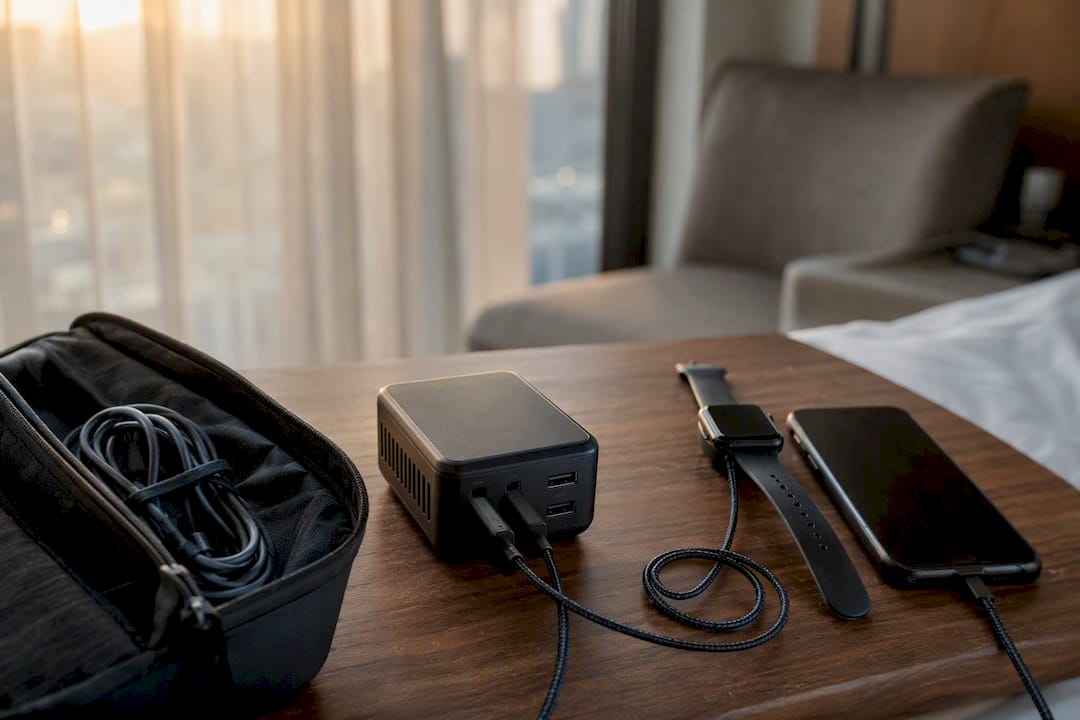
eSIMs solve the connectivity half of the equation. Instead of hunting for a local SIM card, you install a data plan digitally before you land, often within minutes of landing at a new airport. Universal adapters with built-in USB-C PD ports go further still, combining plug-shape coverage with charging capability in one object instead of two.
| Device type | Best for | What to check |
|---|---|---|
| Multiport GaN charger | Charging several devices from one outlet | Total wattage, number of ports, size |
| Portable power bank | Backup power away from outlets | Capacity, weight, PD support |
| eSIM provider | Instant local data without a SIM swap | Coverage in your destination, data caps |
| Universal adapter with USB-C PD | Covering plug types plus charging in one item | Plug coverage, integrated PD wattage |
Some multiport chargers, like Twelve South's PlugBug with Find My integration, add a locating feature so a misplaced charger in a hotel room doesn't mean buying a new one at the airport kiosk.
- Prioritize one strong multiport charger over three single-device bricks.
- Check that your adapter includes the plug shapes for every country on your route, not just the first stop.
Which Wearables and Translation Tools Actually Help on a Trip?
Live translation is the feature that's changed the most in the last few years. Apple AirPods now support live translation features that let you hold something close to a real conversation with someone speaking another language, while dedicated devices like Timekettle and Vasco handle the same job with hardware built specifically for it, some fully offline. Google Translate's camera mode still does the heavy lifting for reading menus and signage on the spot.
Noise-canceling headphones matter more than they sound. On long-haul flights they reduce fatigue, and paired with an offline map or downloaded podcast, they turn dead transit time into something usable. AR navigation overlays, where your phone camera shows walking directions layered over the street in front of you, help in cities where street signs are inconsistent or unfamiliar.
- Live conversation translation: AirPods, Timekettle, or Vasco devices.
- Hands-free navigation: AR overlays layered on your phone's camera view.
- Long-haul comfort: noise-canceling headphones paired with offline audio or maps.
Pro Tip: Download offline language packs and offline maps before you leave your home network. Translation earbuds that depend on a live data connection are only as good as the signal you have in that moment.
How Should You Decide Which Tools to Actually Pack?
Start with the trip, not the gadget aisle. A weekend city break needs less redundancy than a three-week trip through regions with patchy connectivity. Use a short framework before you pack anything:
- Trip length. Longer trips justify a spare tracker and a backup power bank; short trips don't.
- Connectivity expectations. Rural or international routes call for an eSIM and offline maps; a domestic city trip usually doesn't.
- Group size. Solo travelers lean harder on translation tools and trackers; groups can share a single portable router.
- Activities. Outdoor or adventure days call for tougher, weatherproof gear over anything delicate.
- Redundancy. Anything you can't afford to lose, passport, primary phone charger, gets a backup.
A compact carry-on kit rarely needs more than these:
- One multiport charger.
- One power bank.
- One tracker or smart lock.
- One phone with offline maps downloaded.
- One eSIM or local data plan active.
Pro Tip: Pair a single multiport charger, one power bank, one tracking device, and one set of downloaded offline maps. That four-item combination covers most travel emergencies without turning your carry-on into an electronics store. A more detailed packing list workflow can help if you want a fuller checklist before a longer trip.
What Privacy and Safety Limits Should You Know About?
Every tracker or app that shares your location is also a device someone else could theoretically follow. That tradeoff is worth knowing about before you turn every setting to "always on."
- Turn off location sharing for apps that don't need it once you've landed.
- Use a destination eSIM instead of roaming on your home carrier where possible, both for cost and for reducing what your home carrier can see about your movements.
- Back up photos and documents to encrypted cloud storage rather than relying only on a single device.
- Check TSA rules on lithium battery limits for power banks and portable chargers before you pack them in checked luggage.
Pro Tip: Separate your identity data from your travel trackers. Don't register an AirTag or smart lock under the same account you use for banking apps, and update firmware on every device before departure, not after something goes wrong. A quick pass through common travel mistake prevention tips covers a few more blind spots worth checking before takeoff.
Why Consolidating Gear Beats Collecting It
The strongest signal across gadget testing isn't which device wins a spec sheet, it's that multifunctional gear consistently outperforms single-purpose gadgets in real trips. Editors who test travel gear for a living keep coming back to the same short list: portable chargers, universal adapters, luggage scales, and compact phone mounts, because these are the items that reliably improve travel days rather than sitting unused in a drawer.
A compact kit that actually gets used looks something like this: one GaN multiport charger, one Find My–enabled power bank, one luggage tracker, and offline maps downloaded before departure. That last step matters more than people assume. Testing shows that downloading map regions over stable Wi-Fi at home, rather than streaming them mid-trip, is the difference between a map that works in a rural valley and one that spins forever loading.
Pro Tip: Pre-register every tracker and download every map region the night before you leave, not at the gate.
What Do Seasoned Travelers Actually Keep in Their Carry-On?
Strip away the gadget hype and six things earn a permanent spot in my bag: a multiport charger, one power bank, a luggage tracker, noise-canceling headphones, offline maps downloaded in advance, and a universal adapter with built-in USB-C ports. For a 7 to 10 day trip, that's the entire kit, no extra chargers, no backup gadgets for gadgets. Each item does more than one job, which is exactly the decision framework above in practice: fewer things, chosen for overlap, not novelty.
How DestList Turns Smart Travel Tools Into a Ready-to-Book Trip
Most of the tools in this guide solve one piece of the puzzle. DestList's job is putting those pieces together without making you do the assembly yourself.

The workflow mirrors the safe-AI approach covered earlier: an AI engine builds a first-draft itinerary based on your budget, dates, and travel style, then a human curator checks it against real, current information, verifying opening hours, confirming hotel availability, and mapping realistic walking routes between stops. That draft-then-verify step is exactly what keeps AI-only planning from turning into a itinerary full of confident guesses. The result includes flights and hotel matches, a day-by-day route map, weather alerts, and a packing list built around your actual trip, not a generic template.
If you'd rather see it in action than read about it, a done-for-you sample itinerary shows the AI-plus-human model on a real trip. For travelers ready to skip the planning altogether, a custom travel itinerary delivers a ready-to-book plan within 24 hours.
Sources
- The best travel gadgets to bring on your next trip — Condé Nast Traveler
- Apps for travelers — Rick Steves
- How to use AI for travel planning — Awesome Agents