
TL;DR:
- Smart itineraries are personalized, adaptive plans that integrate transportation, activities, and accommodations for efficient travel. They save time, reduce decision fatigue, and are highly customizable with detailed inputs and iterative refinement. Travelers must verify AI-generated data and use the plans flexibly to prevent errors and ensure a smooth trip.
A smart itinerary is a structured, day-by-day trip plan that sequences destinations, transit, activities, and accommodations into a personalized, adaptive schedule. Explaining smart itinerary features matters because these tools do far more than list places to visit. They synthesize your budget, travel pace, dietary needs, and interests into a logical route that minimizes wasted time. Platforms like Destlist combine AI-driven planning with human curation to deliver ready-to-book trips within 24 hours. Understanding what these features actually do helps you use them with confidence and get plans that hold up in the real world.
What are the core features of smart itinerary systems?
An AI travel itinerary is a structured day-by-day trip plan that sequences destinations and activities efficiently based on traveler preferences and constraints. That definition matters because it separates smart itineraries from simple to-do lists or static PDFs. The core difference is integration. A smart system pulls flights, hotels, dining, transit, and activities into one coherent plan rather than leaving you to stitch them together manually.
Here are the key capabilities travelers should expect from a well-built smart itinerary system:
- Full trip architecture. The plan covers every layer of a trip, from airport transfers to dinner reservations, organized into a clear daily structure.
- Preference-driven personalization. The system tailors plans to your budget, interests, dietary needs, mobility requirements, and preferred pace. A slow-travel couple and a fast-moving solo traveler get fundamentally different plans for the same destination.
- Real-time adaptability. When a flight changes or a venue closes, the plan updates dynamically rather than leaving you with a broken schedule.
- Integrated research. Live pricing, availability checks, and user review data feed into the plan so suggestions reflect current conditions, not last year's information.
- Multi-city logistical sequencing. For trips covering several cities, the system clusters nearby attractions together and minimizes unnecessary backtracking. AI-powered tools excel at multi-city trips that require integrating visa requirements, transit connections, and activity groupings simultaneously.
Pro Tip: When reviewing a smart itinerary, check whether activities on the same day are geographically clustered. If the plan sends you across a city twice in one afternoon, the sequencing logic has not been applied correctly.
How do smart itinerary features improve planning efficiency?

The clearest benefit of digital travel plans is time savings. Manually researching a 10-day trip across multiple cities can take 20 or more hours. A smart itinerary system compresses that work into minutes by automating the scheduling logic that most travelers find tedious and error-prone.
Budget-conscious travelers gain more from AI planning than luxury travelers do. AI can balance dozens of cost-saving variables at once, including overnight transit options, free museum days, and neighborhood price differences for accommodation. A human planner working manually would take hours to run those calculations. The AI does it in seconds.
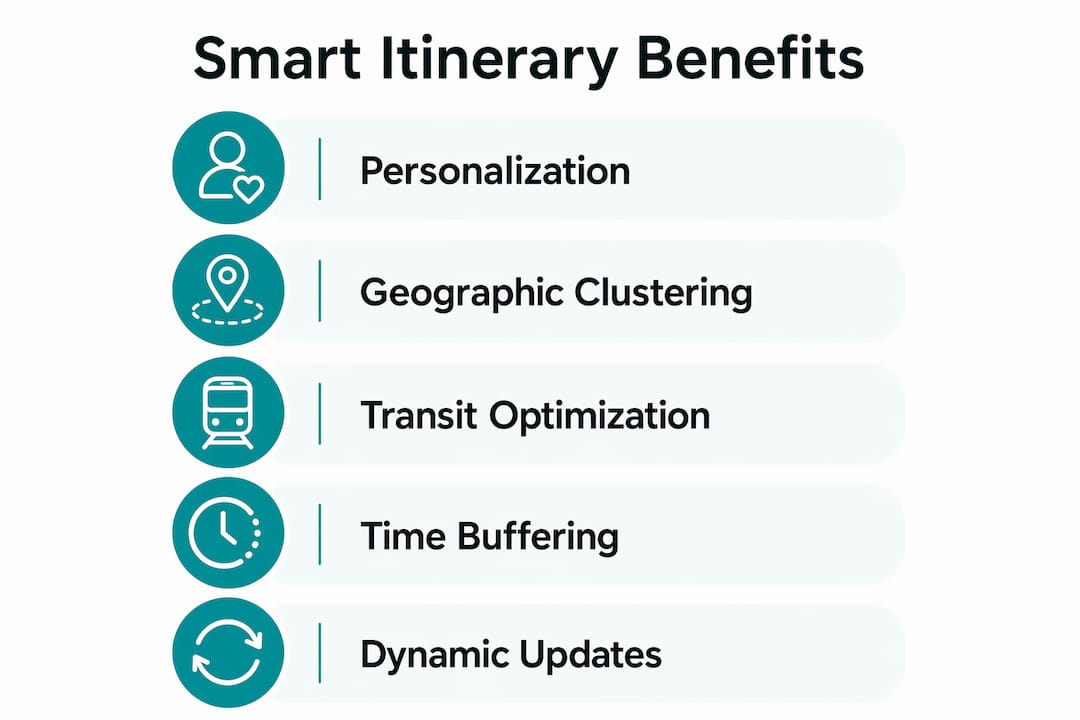
Smart itinerary tools reduce cognitive load by grouping activities geographically and logically. Instead of deciding what to do next, you follow a plan that has already accounted for transit time, opening hours, and energy levels across the day. That reduction in decision fatigue is one of the most underrated advantages of smart itineraries.
The personalization depth also goes beyond surface-level preferences. A well-prompted smart itinerary accounts for pace, meaning it will not schedule six museums in a single day for a traveler who specified a relaxed trip. It accounts for mobility, skipping steep walking routes for travelers who flagged physical limitations. Platforms built for customized travel planning show that nuanced inputs produce plans that feel genuinely tailored rather than generic.
One common planning error that smart itineraries prevent is underestimating transit time. A commute that takes 15 minutes off-peak can double during rush hour. A system that checks live transit data at your actual planned travel times catches that problem before it cascades into a missed reservation.
What limitations should travelers know about smart itineraries?
Smart itinerary tools are not infallible. Many travelers trust AI-generated opening hours without checking them, but these are often outdated or hallucinated. Small museums and family-run restaurants change their hours frequently without updating the databases that AI tools draw from. Arriving at a closed venue wastes time and disrupts the rest of the day.
The verification steps below address the most common failure points in AI-generated plans:
- Check opening hours directly. Visit the official website or call the venue. Do not rely on hours listed in the itinerary, especially for smaller or independent businesses.
- Verify entry requirements. Visa rules, pre-booking requirements, and entry fees change regularly. Cross-reference with official government or tourism board sources before finalizing any booking.
- Test transit times at your actual travel hours. Use a dedicated map app and set the departure time to match your planned schedule. Generic transit estimates built into itineraries often use off-peak averages.
- Build in daily buffer time. Travel planning guidance from 2026 identifies lack of buffer time as the most common cause of itinerary stress. A 30–60 minute buffer per day absorbs delays without collapsing the rest of the schedule.
- Treat the AI output as a draft. AI data can be outdated, and errors can lead to denied entry or wasted time. Refine the plan iteratively rather than booking directly from the first version.
Pro Tip: Verify venue details against local tourism board websites rather than general search results. Tourism boards update their listings more frequently and are less likely to carry stale data.
Understanding how digital reservations connect to itinerary systems also helps travelers catch errors early. When a booking confirmation does not match the itinerary time slot, that discrepancy signals a data gap worth investigating before the trip begins.
How can travelers use smart itinerary features effectively in 2026?
Getting the most from a smart itinerary system starts with the quality of your input. Generic prompts produce generic plans. Detailed prompts that include traveler ages, specific interests, budget range, dietary restrictions, mobility needs, and preferred daily pace produce plans that are both personalized and feasible.
The following table shows how input specificity changes plan quality:
| Input type | What the AI produces |
|---|---|
| "Plan a trip to Japan for 10 days" | Generic tourist circuit with no personalization |
| "Plan a 10-day Japan trip for two adults, budget $150/day, interested in food markets and temples, slow pace, no seafood" | Neighborhood-specific routing with budget-matched restaurants and temple clusters |
| "Add a rest day on day 5 and avoid tourist crowds at major sites" | Adjusted pacing with early-morning or late-afternoon visit windows |
Iteration is the second key to effective use. After the first draft, refine the plan by asking the system to adjust specific days, swap activities, or recalculate transit after a hotel change. Full AI travel planners go beyond simple suggestion generators by offering booking integration, budget tracking, and real-time recalculation when plans shift mid-trip.
Here are the practical steps for using smart itinerary features well:
- Start with a detailed prompt covering all traveler constraints and preferences.
- Review the draft for geographic clustering. Flag any days where the routing seems inefficient.
- Verify opening hours, entry requirements, and transit times using live sources before booking.
- Build a 30–60 minute buffer into each day, particularly on days with multiple transit legs.
- Update the plan mid-trip when you discover new places or face disruptions. Adaptability is a core feature, not a workaround.
Pairing your itinerary with a tool like Destlist's AI packing list generator adds another layer of preparation, making sure your gear matches the activities and climate in your plan.
Key Takeaways
Smart itinerary features deliver the most value when travelers combine detailed inputs, iterative refinement, and independent verification of critical details like opening hours and transit times.
| Point | Details |
|---|---|
| Core feature set | Smart itineraries integrate flights, hotels, transit, dining, and activities into one structured daily plan. |
| Personalization depth | Detailed inputs covering budget, pace, and dietary needs produce genuinely tailored plans, not generic routes. |
| Buffer time is non-negotiable | Build 30–60 minutes of buffer into each day to absorb real-world delays without breaking the schedule. |
| Verify before booking | AI-generated opening hours and entry requirements are frequently outdated. Always cross-check with official sources. |
| Iterate, do not finalize | Treat the first AI output as a draft. Refine it based on feedback, live data, and mid-trip discoveries. |
What I've learned from watching travelers use these tools
The travelers who get the best results from smart itinerary tools are not the ones who trust the AI most. They are the ones who know exactly where to push back on it.
I have seen well-designed AI plans fall apart on day two because nobody checked whether a key museum was closed on Mondays. The AI did not know. The traveler did not check. That is not a technology failure. It is a workflow failure. The tool produced a scaffold. The traveler needed to inspect it.
The most underrated feature in any smart itinerary system is adaptability mid-trip. Most travelers use these tools only in the planning phase and then treat the plan as fixed. That is the wrong approach. When a restaurant turns out to be disappointing, or a neighborhood surprises you, or a transit strike changes your morning, the plan should update. The adaptability that hospitality providers use to handle guest disruptions applies equally to personal travel plans.
My honest advice: give the AI a detailed brief, review the output critically, verify the three things most likely to be wrong (hours, transit times, entry requirements), and then use the plan as a living document. The travelers who do that consistently report less stress and more flexibility than those who either plan everything manually or hand full control to the AI.
— Helen
How Destlist builds smart itineraries that actually work
Destlist combines AI-driven planning with human curation to produce custom travel itineraries that are reviewed before they reach you. The AI handles the complex sequencing work: matching flights and hotels to your budget, clustering activities by location, and calculating realistic transit times. Human travel curators then review the plan for accuracy, flow, and the kind of local knowledge that no database captures reliably.

Every Destlist itinerary includes day-by-day activities, mapped routes, estimated walking times, weather alerts, and packing guidance. Plans are ready within 24 hours. If you want a trip that is built around your preferences and verified before you book, explore Destlist's curated plans and see what a well-built smart itinerary looks like in practice.
FAQ
What is a smart itinerary feature?
A smart itinerary feature is an AI-driven function that sequences destinations, transit, activities, and accommodations into a personalized, day-by-day travel plan based on your specific preferences and constraints.
How do I get better results from AI travel planning?
Provide detailed inputs covering your travel dates, budget, interests, dietary needs, mobility requirements, and preferred pace. Specific prompts consistently produce more personalized and feasible plans than generic ones.
Why should I verify AI-generated itinerary details?
AI tools frequently generate outdated or incorrect venue hours and entry requirements. Cross-checking with official venue websites or tourism boards before booking prevents wasted time and denied entry.
How much buffer time should I build into a daily itinerary?
Travel planning guidance recommends 30–60 minutes of buffer time per day. That window absorbs transit delays and schedule shifts without disrupting the rest of the day's plan.
What makes Destlist different from a basic itinerary generator?
Destlist pairs AI planning with human curation, meaning every itinerary is reviewed for accuracy and flow before delivery. The result is a ready-to-book plan rather than a raw AI draft that still needs significant manual verification.