
TL;DR:
- Map-based travel planning visually organizes itineraries on interactive maps, enhancing route efficiency and collaboration.
- It reduces stress and decision fatigue by providing spatial context and easy real-time adjustments.
- Combining maps with schedules and AI suggestions offers the most effective, flexible trip planning approach.
You've got a week off, a destination in mind, and roughly forty browser tabs open. Sound familiar? Juggling static spreadsheets, PDF guides, and scattered bookmark folders is one of the biggest time drains in modern travel planning, and it's completely avoidable. Map-based travel planning flips that chaos into a clean, visual system where your entire trip lives in one interactive space. Whether you're squeezing a long weekend into a packed schedule or coordinating a group vacation, seeing your itinerary on a map changes not just how you plan, but how confident and relaxed you feel when the trip actually starts.
Table of Contents
- What is map-based travel planning and how does it work?
- Why map-based itineraries optimize time and reduce stress
- Advanced features: Layers, offline access, and intelligent recommendations
- Limitations and real-world edge cases of map-based travel planning
- Why visual travel planning will be the new normal (and what most people miss)
- Streamline your next vacation with DestList's expert planning
- Frequently asked questions
Key Takeaways
| Point | Details |
|---|---|
| Visualize and optimize | Mapping your itinerary saves time and helps prevent backtracking by showing everything in one view. |
| Reduce stress | Collaborative maps keep everyone aligned and make last-minute changes simple—even on busy trips. |
| Powerful map features | Layering, offline access, and AI recommendations turn ordinary plans into smart, reliable guides. |
| Know the limits | Some tools have offline or mobile restrictions, so keep a backup for time-specific events. |
What is map-based travel planning and how does it work?
Map-based travel planning means building your itinerary directly on an interactive map rather than inside a list, spreadsheet, or static document. Instead of reading through bullet points and mentally picturing distances, you see every location pinned exactly where it sits in the real world. That spatial context is powerful, especially for visual thinkers who lose time translating text-based plans into actual geography.
The mechanics are straightforward. You pin locations as markers, layer them by category such as food, sights, or hotels, and attach routes, directions, and personal notes directly on the map. Tools like Google My Maps let you toggle visibility by category, so you can focus on just restaurants one moment and switch to museums the next without losing your place.
Here's what a solid map-based planning workflow looks like:
- Pin anchor locations first. Start with must-see sights and your accommodation.
- Add layers by category. Group dining spots, transit hubs, and day trips separately.
- Draw routes between pins. Use driving, walking, or transit overlays to check realistic travel times.
- Attach notes to each pin. Opening hours, reservation links, and entry fees go right on the marker.
- Share the map. Send a single link to travel companions so everyone works from the same plan.
For a deeper look at structuring your overall trip research, our expert travel planning guide walks through the full process from start to finish. If you're deciding between tools, a useful Google My Maps comparison breaks down which platform suits different travel styles.
Pro Tip: Build your map in two passes. Drop your major sights first, then go back and fill in cafes, transport stops, and backup options. Trying to do everything at once makes the map feel overwhelming before it becomes useful.
Why map-based itineraries optimize time and reduce stress
Now that you understand the mechanics, here's why this approach outperforms old-school methods.
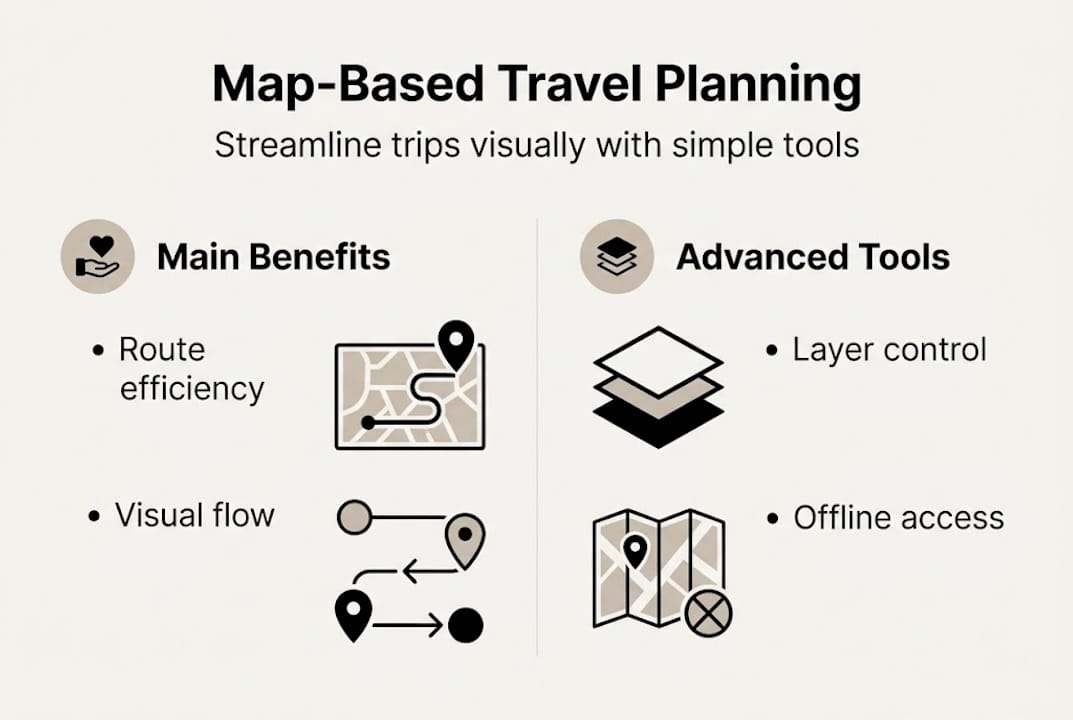
The biggest practical win is route efficiency. When you see all your planned stops on a single map, illogical sequences jump out immediately. You'll notice you planned to visit a museum in the north of the city in the morning, then a market in the south for lunch, then a gallery back in the north for the afternoon. That pattern is invisible in a list. On a map, it's obvious, and fixing it takes seconds.
Map-based planning reduces cognitive load by giving you intuitive visual flow, better organization, and the ability to make real-time adjustments, which also prevents the kind of miscommunication that derails group trips. Everyone sees the same plan, not a version they interpreted differently from a shared spreadsheet.

For saving time and stress during the trip itself, the visual format also makes on-the-fly changes easy. If it rains and you want to skip the outdoor market, you can immediately see what indoor options are already pinned nearby. No frantic searching required.
Here's a quick comparison of the two approaches:
| Feature | List or spreadsheet | Map-based planning |
|---|---|---|
| Route optimization | Manual, easy to miss | Visual and instant |
| Group coordination | Prone to misreading | Shared view for all |
| Real-time changes | Requires editing text | Drag, drop, reroute |
| Cognitive load | High (mental mapping) | Low (already mapped) |
| Offline use | Easy with downloads | Varies by tool |
Research on expert route planning confirms that spatio-temporal recommendations, meaning suggestions that factor in both location and time, consistently outperform non-spatial approaches for real-world navigation decisions. That's not just theory. It translates directly to fewer wrong turns and less wasted time on your actual vacation. Explore best trip planner types to see how map tools stack up against other planning formats.
Advanced features: Layers, offline access, and intelligent recommendations
With the basics and key benefits clear, let's focus on some advanced tools for travelers who want every edge.
Layers are arguably the most underused feature in map-based planning. Up to 10 layers per map in Google My Maps let you toggle categories on and off, meaning you can keep your food layer hidden until you're actually hungry and planning where to eat. Offline access is available in some tools, including Google Lists, which is critical when you're navigating areas with spotty data service.
AI is starting to make map-based planning genuinely smarter. Spatial memory aids like maps align with the neuroscience concept of the method of loci, where anchoring information to physical locations dramatically improves recall. When your itinerary lives on a map rather than a numbered list, you're more likely to remember what's planned where, even without checking your phone. Pair that with a spatio-temporal study showing AI-personalized route suggestions outperform generic ones, and you have a strong case for tools that blend maps with intelligent recommendation engines.
Here's how to set up layers and offline access in Google My Maps:
- Open your map and click "Add layer" in the left panel.
- Name each layer by category: Restaurants, Museums, Hotels, Day Trips.
- Pin locations directly into the relevant layer.
- Toggle layers on or off using the checkboxes.
- For offline access, open Google Maps, search for the area, and tap "Download" while connected to Wi-Fi.
For more on blending AI into your planning routine, our AI itinerary tips guide covers the smartest ways to use automation without losing the personal touch. And if you're still wondering whether a fully custom itineraries approach is worth it, the short answer is yes for anyone with limited planning time.
Pro Tip: Assign a distinct color to each layer. Red for must-dos, blue for food, green for backup options. At a glance, you can triage your day without reading a single word.
Limitations and real-world edge cases of map-based travel planning
While these features are game changers, it's important to understand where map-based planning may fall short.
No tool is perfect for every traveler. Map-based planning works best when location is the primary driver of your itinerary. When time-locked events enter the picture, like a theater show at 7:30 p.m. or a food tour that leaves at 10:00 a.m. sharp, a map alone doesn't give you the time structure you need. You can pin the venue, but the chronological flow of your day still needs a schedule layer.
Offline editing and mobile restrictions are real constraints for some tools. Google My Maps, for example, is not fully editable on mobile, which can be frustrating when you're standing on a street corner trying to add a new stop. Offline functionality is also inconsistent across platforms, so verifying your tool's capabilities before a trip to a remote area is essential.
Common limitations to watch for:
- Mobile editing gaps. Some tools are view-only on phones, not editable.
- No time sequencing. Maps show where, not always when.
- Collaboration limits. Free tiers often cap the number of collaborators.
- Data-heavy loading. Slow in poor signal areas despite offline mode.
- Learning curve. First-time users may take 30 to 60 minutes to get comfortable.
Expert note: The most effective travel plans combine a map for spatial flow with a simple time-blocked schedule for event-driven days. Neither tool alone covers everything. A hybrid approach gives you the best of both worlds, especially for complex itineraries.
For trips that span multiple destinations or overlap with other bookings, our multi-trip planning tips outline when to add a structured timeline alongside your map.
Why visual travel planning will be the new normal (and what most people miss)
Most travelers who discover map-based planning have a common reaction: "Why didn't I do this sooner?" That reaction isn't just about convenience. It reflects something deeper about how people actually process spatial information.
Productivity research consistently shows that visual formats reduce decision fatigue and improve recall compared to text-heavy alternatives. When your itinerary is mapped, your brain encodes locations spatially, not just as items on a list. That means less second-guessing on the ground and faster decisions when plans shift.
Here's what most people still miss: the real power isn't just in seeing your trip on a map. It's in the planning process itself becoming faster and more enjoyable. When planning feels intuitive rather than tedious, you actually do more of it. You fill in gaps, research alternatives, and build contingencies instead of stopping at "good enough" because the tool is too clunky.
For saving time on your next vacation, the most effective approach combines a visual map with a lightweight schedule and, increasingly, AI-driven suggestions that adapt to your preferences. High performers in travel, whether frequent business travelers or families managing complex logistics, have already figured this out. The rest of the travel world is catching up fast.
Pro Tip: For group or family trips, build the map collaboratively from the start. When everyone contributes their own pins, you get natural buy-in and far fewer "why didn't we go to X?" moments after the trip.
Streamline your next vacation with DestList's expert planning
If building and maintaining your own map-based itinerary sounds like one more thing on your to-do list, that's exactly the problem DestList solves.
DestList transforms your travel preferences into custom travel itineraries that include mapped routes, day-by-day activities, estimated walking times, and curated hotel and flight matches, all delivered within 24 hours. You skip the research, the tab overload, and the route puzzles entirely. Our done-for-you planning service is built specifically for travelers who want the benefits of map-based itineraries without spending their evenings figuring out layers and offline settings. Visit the DestList planner to get your personalized trip started today.
Frequently asked questions
How does map-based travel planning save time?
Map-based planning minimizes travel time and route overlap by visually optimizing your itinerary's order, helping you see the most in less time without backtracking across a city.
Can I use map-based tools offline or on mobile?
Some tools allow offline access, but editing may be limited on mobile; always verify your tool's capabilities before relying on it in low-connectivity areas.
Are map-based itineraries better than lists or spreadsheets?
For most visual thinkers, yes. Map-based planning provides intuitive organization, collaborative sharing, and prevents the miscommunication that static lists frequently cause.
Do map-based plans work for busy group trips or business travel?
Absolutely. Collaborative sharing and visual triage make it easy for teams and families to stay aligned without juggling multiple apps or document versions.